
Church Production Guide: A Practical Sunday Playbook
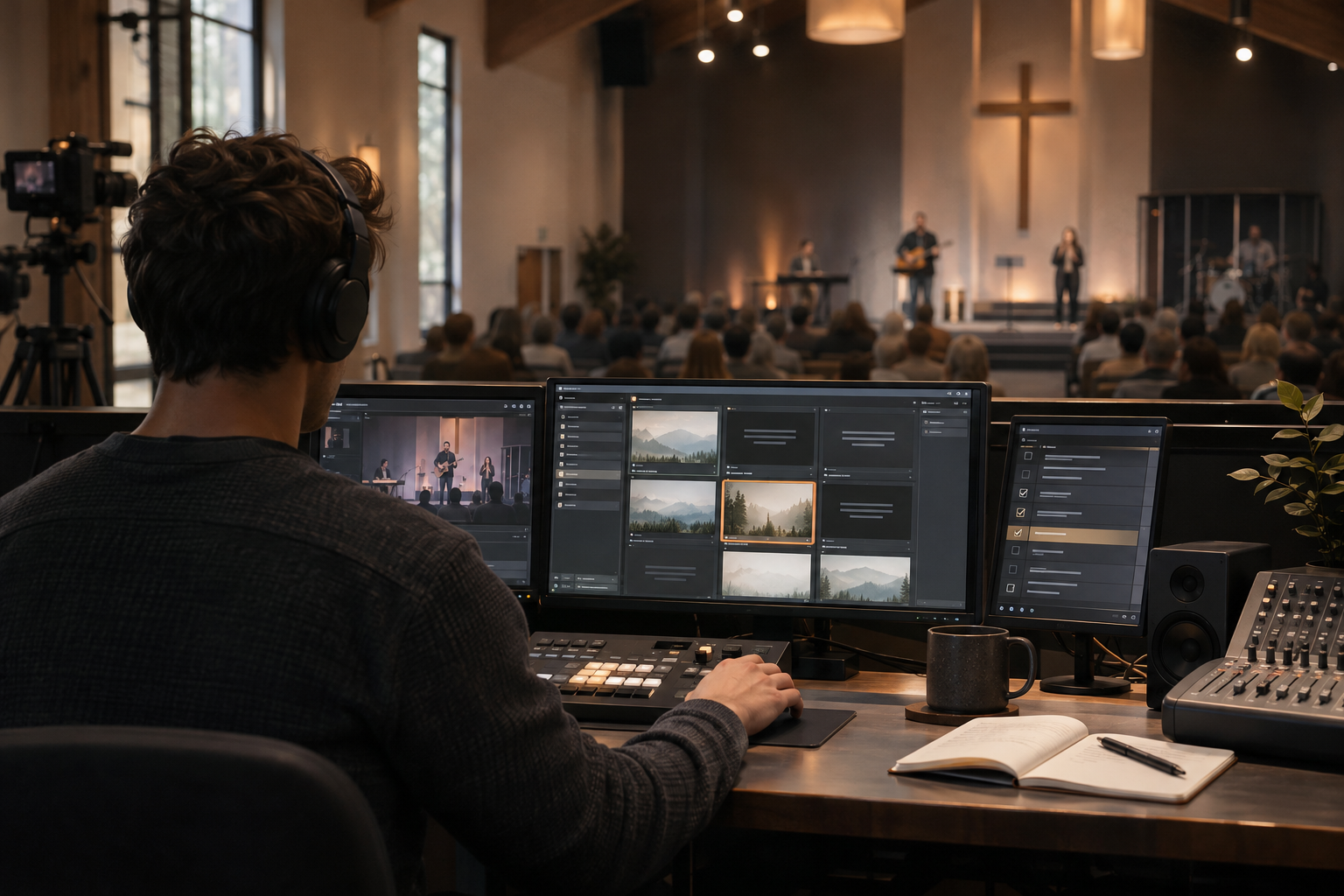
A practical Sunday playbook for small churches using ProPresenter.
I've seen what thoughtful production can do for a story. A well-placed microphone makes someone easier to understand. Good lighting directs attention. A properly timed slide gives people the words they need to participate.
I've also seen the other side: a beautiful room with terrible audio, lyrics that arrive two lines late, and a volunteer trying to troubleshoot five different things while somebody whispers, “Can you fix it?” into their ear.
It's tempting to think the solution is another camera, a more expensive lighting console, or the kind of production budget only a large church could afford. Usually, I'd start somewhere less exciting.
I'd start with the team and the system.
When I look at churches like Lakepointe, The Church of Eleven22, and 2819 Church, what interests me most isn't the size of their screens. It's the priorities they publicly emphasize: people matter, Scripture matters, the Gospel matters, and service should be done with care. Those are principles a church of 75 people can practice just as seriously as a church of 7,500.
This is my proposed playbook, not a description of how those churches operate backstage.
This guide is for the volunteer who just joined the media team, the worship leader who needs a dependable Sunday, and the pastor who wants to build a ministry instead of a weekly scramble. We'll cover roles, communication, a Sunday workflow, ProPresenter, audio, cameras, livestreaming, training, and what to do when things go wrong.
You don't need to implement everything at once. You do need to know what you're trying to accomplish.
Start With the Mission, Not the Equipment
The production team isn't there to manufacture a moment with God. Our responsibility is more practical: help people hear, see, understand, and participate without needless distraction.
That means sermon audio should be intelligible. Scripture should be accurate. Lyrics should be readable. The livestream should work for people who can't be in the room. And when a person comes forward for prayer, the cameras shouldn't suddenly treat their most vulnerable moment like promotional content.
There's a difference between excellence and spectacle. Excellence is faithful preparation and attention to the people we're serving. Spectacle makes the production itself the center of attention. I want the first one, not the second.
Paul's instruction that things in the gathering be done decently and in order (1 Corinthians 14:40) comes from a broader discussion about worship and edification. It's not a biblical instruction manual for running a lighting desk. But the underlying concern that the gathering should build up the church is worth taking seriously.
Give Every Job an Owner
One of the quickest ways to create confusion is to give everyone responsibility without giving anyone authority.
A small church doesn't need ten departments. It does need one person who knows the plan, confirms that the pieces are ready, and can make a calm decision when the plan changes.
| Role | Owns the outcome | What that means on Sunday |
|---|---|---|
| Production lead / service producer | The full production plan | Coordinates volunteers, calls transitions, resolves conflicts, and confirms readiness |
| Audio operator | What everyone hears | Microphones, soundcheck, playback, speaker levels, and the recording or stream mix if applicable |
| ProPresenter operator | What everyone reads and sees | Song lyrics, Scripture, sermon slides, videos, stage display, and screen outputs |
| Camera / livestream operator | What the remote audience sees | Camera framing, program feed, stream health, and recording where applicable |
| Lighting / stage support | A safe, visible room | Stage looks, practical light, cables, batteries, and set changes |
In a small church, one volunteer may cover more than one responsibility. That's fine until those responsibilities have to happen at the same instant. Don't ask someone to mix a sermon, operate lyrics, and cut three camera angles while pretending that counts as an efficient system.
For a very simple in-room service, you may be able to operate with two people: one on audio and one on ProPresenter. If you're adding a livestream, three or four people are a healthier starting point: audio, ProPresenter, a camera/stream operator, and a production lead who can also cover a lighter task. Complexity should determine staffing—not ambition.
The pastor remains responsible for pastoral direction. The worship leader leads worship. The production lead coordinates how those plans are carried out technically. Those boundaries are important, especially when a service changes in real time.
One Service Plan. One Source of Truth.
Here's a phrase that has no business making an appearance at 9:58 on Sunday morning: "I thought somebody else knew."
Use one shared order of service. It can live in a document, spreadsheet, church-planning system, or printed sheet. The tool matters less than everyone using the same current version.
At minimum, every service element should have a name, approximate order, owner, and technical cue. Add exact times only when they genuinely help; worship and ministry moments don't always obey a stopwatch.
| Service element | Production cue | Owner |
|---|---|---|
| Pre-service | Run announcement loop; verify livestream holding screen | ProPresenter / stream |
| Countdown or welcome | Switch to approved opening content | Producer / ProPresenter |
| Worship | Advance approved lyrics; follow actual song flow | Worship leader / ProPresenter |
| Welcome and announcements | Open assigned microphone; show only relevant graphics | Audio / ProPresenter |
| Message | Activate sermon microphone; prepare Scripture and sermon notes | Audio / ProPresenter |
| Response and prayer | Follow pastoral direction; use discreet camera framing | Pastor / producer / video |
| Closing | Display next steps; end recording and stream after confirmed sign-off | Producer / ProPresenter / stream |
That table isn't a liturgy. It's an example of how the team can know what's next without guessing.
For transitions, identify who calls the cue. A single, calm voice saying “Stand by opening video ... opening video, go” is better than three people simultaneously deciding that something should happen.
Build a Weekly Rhythm That Protects Sunday
Sunday morning should be for confirming the plan, not inventing it.
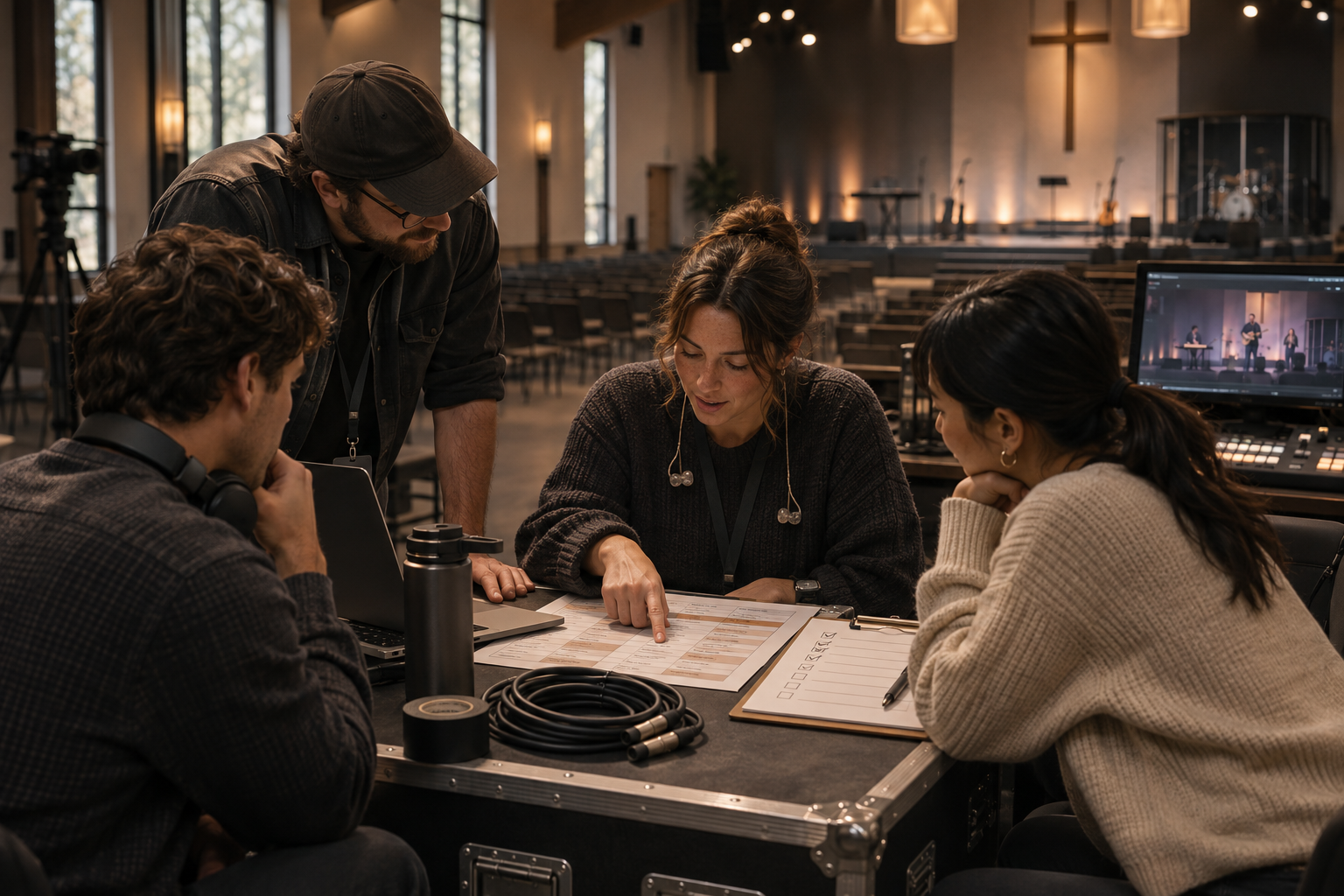
Here's the rhythm I'd recommend. Adjust the days to fit your church, but keep the sequence.
| When | What should happen |
|---|---|
| Monday–Tuesday | Pastor and worship leader share service direction, songs, passage, special elements, and known media needs |
| Wednesday–Thursday | Production lead drafts the order of service; ProPresenter operator builds the playlist; audio and video needs are identified |
| Friday or Saturday | Final content review, lyric and Scripture proofing, media playback test, and confirmation of volunteer assignments |
| Sunday, before doors | Power up, check outputs, test audio, rehearse transitions, resolve issues, and confirm who is calling cues |
| After service | Save recordings, power down properly, document failures, thank volunteers, and capture one improvement for next week |
I'd set a content handoff deadline and have a clearly defined process for later changes. Last-minute changes will still happen; they should be an exception your team can manage, not the normal way the church operates.
And yes, the pastor should be able to change a Scripture reference or respond to something happening in the room. Good systems support ministry instead of strangling it. The operator simply needs one clear, authoritative update rather than five different text messages.
Make ProPresenter Predictable
If your church uses ProPresenter, I'd treat it as part of your weekly operating system—not a mysterious machine only one volunteer is brave enough to touch.
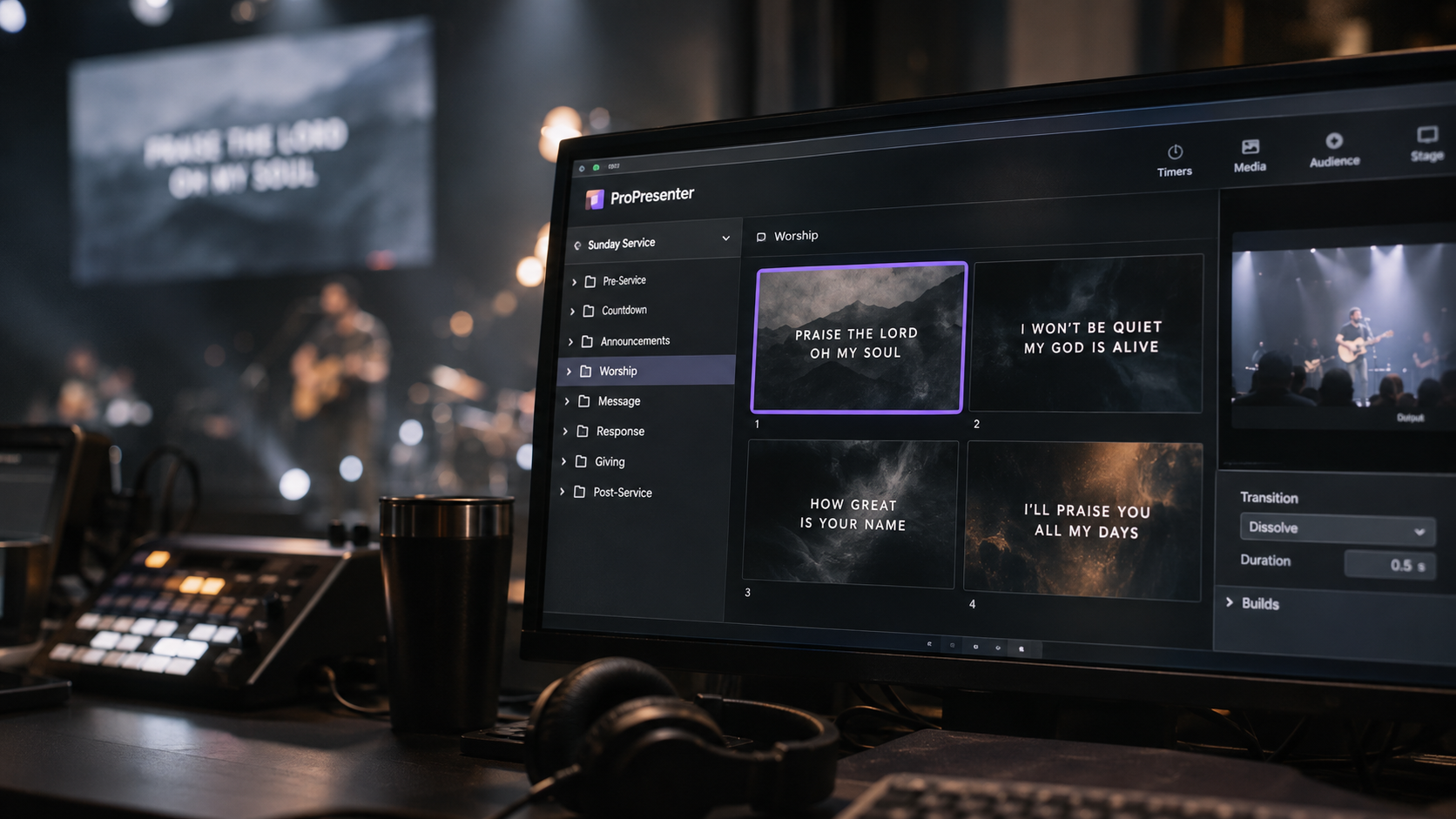
Here's the setup I would standardize first.
Build one reusable Sunday playlist
Create a playlist template with sections such as Pre-Service, Welcome, Worship, Announcements, Message, Response, and Closing. Use clear headers and placeholders for material that changes each week. Then build each new Sunday from the template instead of starting with a blank page.
Keep your song library organized. Name songs consistently, store verified lyrics, and set the expected verse, chorus, and bridge arrangement before rehearsal. Make sure the operator can jump to another section if the worship leader repeats a chorus or changes the order.
For the sermon, have the correct passage and translation, key points, any quoted text, and the approved slides ready before the service. Check spelling, punctuation, references, and readability. A Scripture typo is not the kind of surprise anyone needs in the middle of teaching.
Check where the content is actually going
ProPresenter distinguishes between Audience screens and Stage screens. Audience outputs are for the congregation or other viewer-facing destinations; Stage outputs are for confidence monitors and production needs. Depending on the setup, Looks can control which content layers appear on different audience outputs.
In plain English: the main projector, the worship leader's confidence monitor, and the livestream may not need to display identical information. Build and test each destination intentionally.
I'd keep lyrics large enough to read from the back row, use strong contrast, and avoid distracting animations. Most songs don't need six different font treatments. Make sure the worship leader can see the next line on the stage display without showing private prompts to the congregation.
Don't assume a thumbnail is proof
Before anyone arrives, run the content on the actual outputs, not just inside ProPresenter's preview window. Check the projector, stage display, video feed, and any stream graphics. Play every video with audio. Confirm the file is local and available, the transition works, and sound is routed correctly.
The ProPresenter operator should know how to return to a safe blank or holding slide, clear an unwanted graphic, jump to the right song section, and restore the intended screen state. Test those actions during rehearsal, not while the pastor is waiting.
Advanced features such as macros, custom Looks, timers, and cloud collaboration can be valuable, but they're not your first priority. A well-organized playlist operated by a trained volunteer beats a complicated automated setup that nobody knows how to recover.
One current caution: ProPresenter's version 22 introduces optional cloud workspaces, but cloud sync isn't a substitute for checking the booth computer, output configuration, media availability, and an actual fallback plan. Document the version and setup your church uses; menu names and features may differ across releases.
Audio Comes Before Almost Everything Else
A beautiful camera shot cannot rescue a sermon nobody can understand.
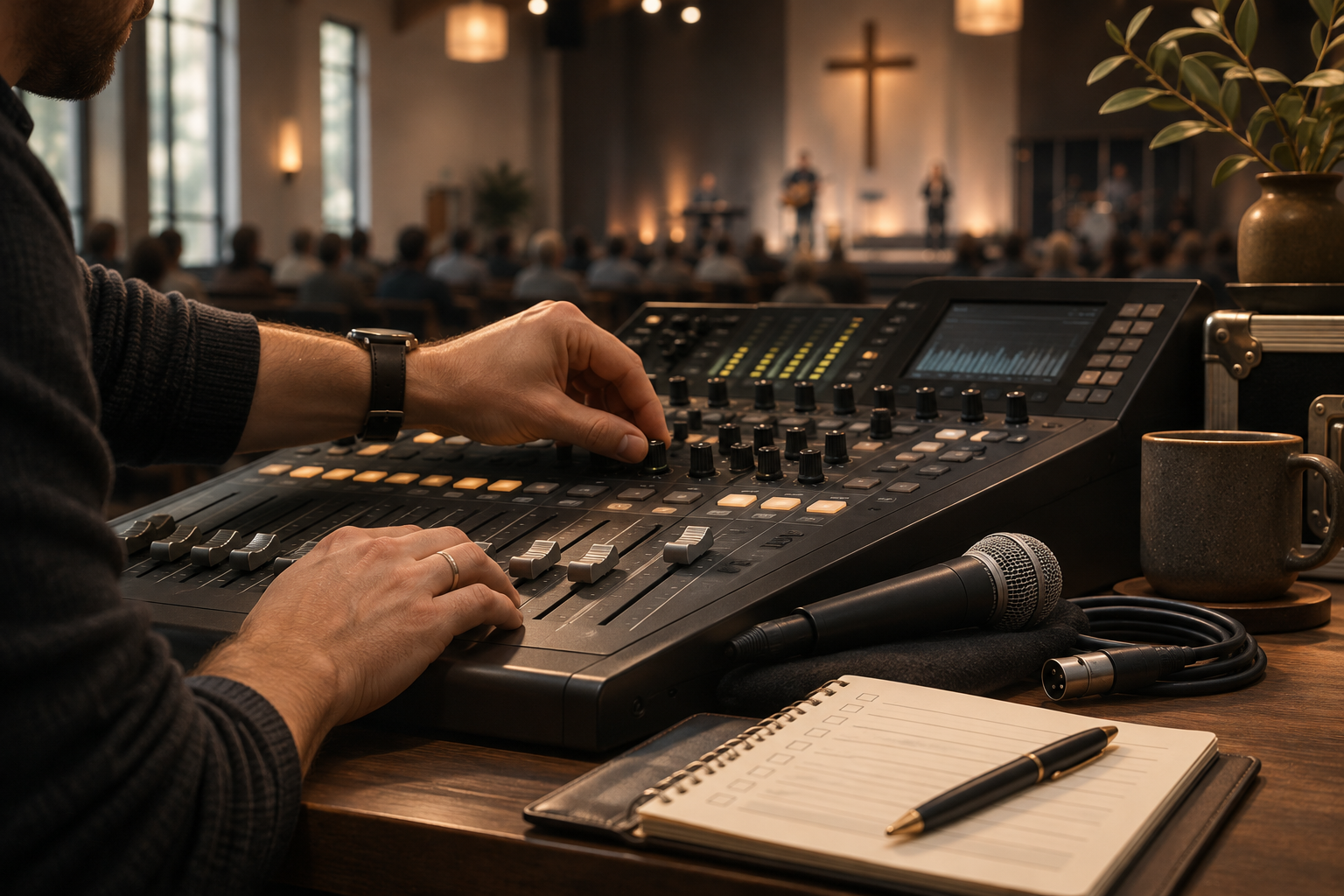
I'd prioritize speech clarity, microphone reliability, and sensible sound levels before investing in more elaborate video production. The audio operator should know which microphone belongs to each person, what is muted or live, which playback sources are connected, and who can authorize an unexpected change.
Before the service, test the pastor's microphone, worship vocals and instruments, spoken-word microphones, videos, and any remote speaker feed. Walk the room and listen from more than one seat. If your church streams, listen to the online mix separately rather than assuming the mix that sounds good in the sanctuary will sound good on a phone.
In fact, front-of-house audio and livestream audio are different listening environments. A drum kit may be loud in the room even if its channel is low in the house mix. The stream only hears what you send it. A separate broadcast mix is ideal when the team and equipment can support one; otherwise, establish a simple, tested solution and know its limitations.
Keep spare batteries, compatible microphone cables, and a backup way to capture the message. Avoid guessing about microphone versus line-level connections, and don't improvise unsafe electrical fixes to eliminate a hum.
Here's the simplest audio rule I can give you: somebody needs to be listening, not just watching meters move.
Cameras Should Support the Room, Not Compete With It
This is where my photographer brain wants to get carried away. I enjoy a beautiful camera movement, thoughtful framing, and interesting light as much as anyone.
But a church service isn't a commercial campaign.
For a sermon, prioritize a stable, flattering, readable shot of the speaker. If you have multiple cameras, add a wider view or a secondary angle for variety. During worship, show enough of the congregation and stage to communicate what's happening, without turning every song into an unnecessarily dramatic music video.
I would teach new camera operators three habits: hold the shot longer than you think, frame with intention, and anticipate rather than chase movement. If you're using a live switcher, have the director call camera changes clearly. Don't cut simply because the next angle looks different.
Why the 180-degree rule matters
When cameras cover the same action from different angles, viewers need to understand where people are facing and how they relate to the room. The 180-degree rule gives the camera team a simple way to protect that visual continuity.
Imagine an invisible line of action between the speaker on stage and the people being addressed. For related shots, keep your camera angles on one side of that line. A cut from one camera to another then feels like a change of viewpoint, not a sudden reversal of direction.
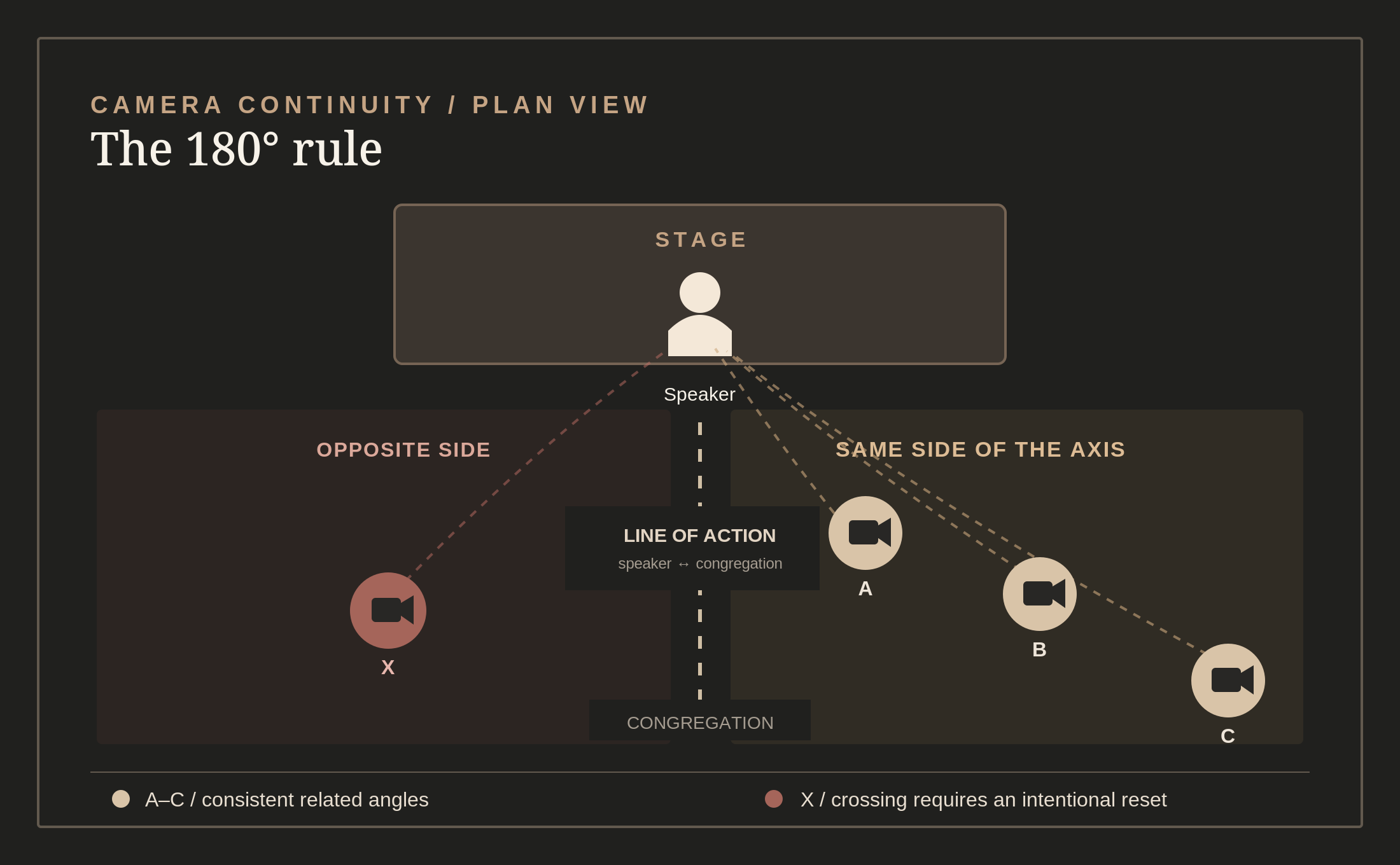
What goes wrong when you cross it? Someone who was looking screen-left may suddenly appear to look screen-right. On a livestream, a quick cut between those angles can make the stage geography feel inconsistent even when the operator hasn't moved the camera.
This is a continuity guideline, not a command to put every physical camera on one side of the sanctuary. Establish the line for the action you're filming. You can cross it deliberately, especially by using a neutral shot along the axis, showing the camera move across the line, or cutting to a wider establishing shot before changing perspective.
For further reading: Adobe's 180-degree rule guide and Church Production's multicamera advice.
Be particularly thoughtful during prayer, counseling, baptisms, and response moments. A person in tears or asking for help is not automatically giving the church permission to broadcast a close-up of their face. Establish a pastoral approval and consent policy, and avoid identifying minors or people in sensitive situations without appropriate authorization.
The camera is there to help people participate and follow what's happening. It isn't there to make somebody else's vulnerable moment more cinematic.
Lighting Should Make People Visible, Not Become the Message
Good lighting starts with being able to see the person who's speaking.
I'd aim for consistent light on faces, clean separation from the background, and a stage that feels intentional without demanding a complicated lighting show. Save a few dependable looks: Pre-Service, Worship, Message, Response, and House Lights. Name them consistently and test the transitions.
If you're filming, check for LED flicker, dramatic color casts on skin, and exposure changes between stage looks. Make sure cables and stands are safely secured and that emergency routes remain unobstructed. Nobody should be climbing a ladder or adjusting overhead fixtures without the proper training and safeguards.
A small church can do a lot with good placement and a few reliable fixtures. I'd rather have five lighting looks people know how to operate than fifty scenes nobody can remember.
If You Livestream, Treat Online as a Real Audience
Someone watching from home may be sick, traveling, unable to attend in person, or exploring the church for the first time. Whatever brought them there, they shouldn't have to work harder than necessary to follow the service.
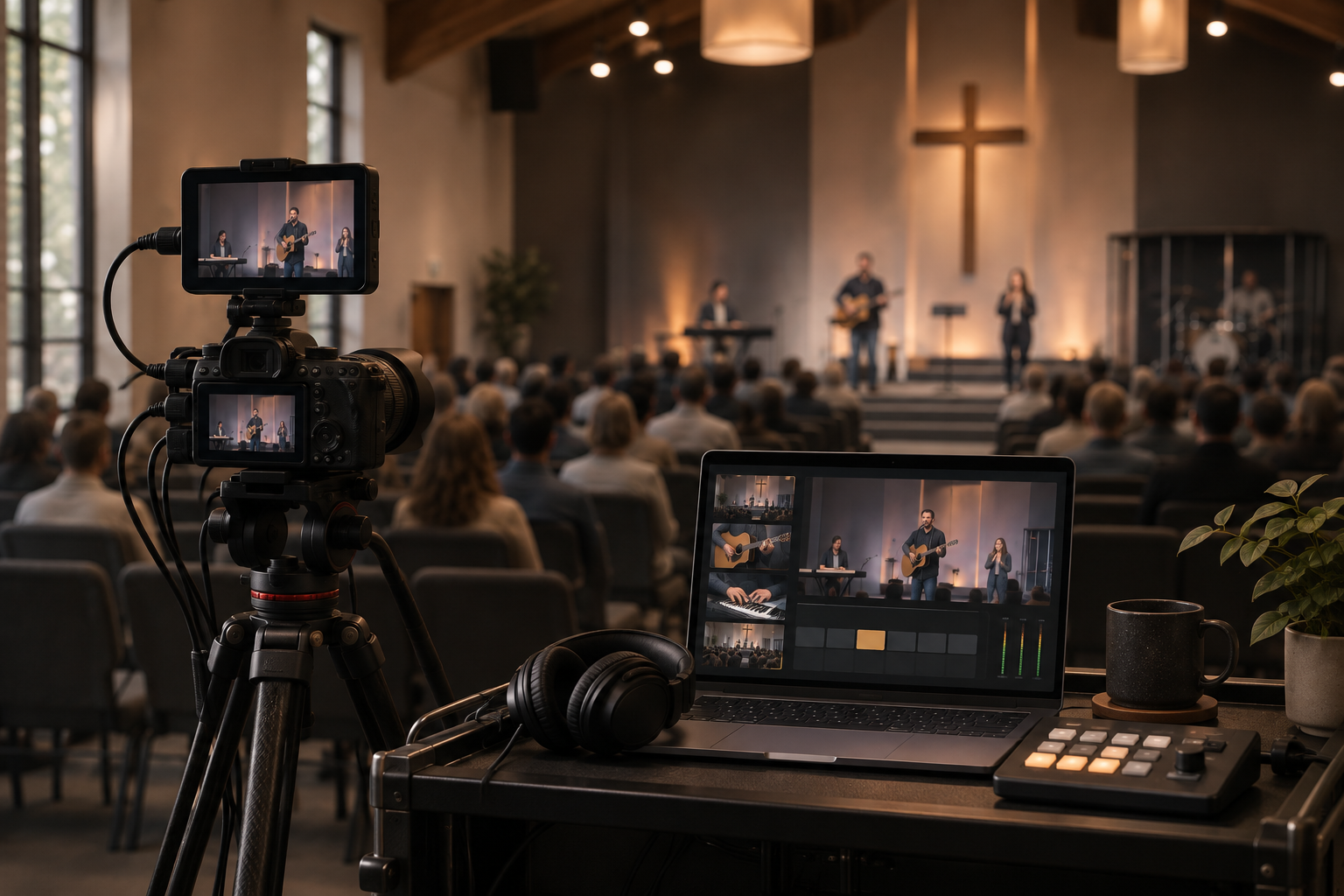
Before going live, confirm the camera feed, graphics, audio, stream destination, and actual playback on a separate phone or computer. Whenever possible, use a reliable wired network connection and monitor the stream from outside the production chain. Seeing green lights on an encoder doesn't prove that the audience is receiving a good picture and intelligible audio.
Decide in advance whether you are streaming the full service, the teaching only, or specific segments. Confirm which parts are approved for broadcast. If you can provide accurate captions or an accessible replay, that's a meaningful improvement for viewers who need them.
Also establish a simple failure plan. If the stream stops, who is responsible for restoring it? Who communicates with online viewers? When do you move to a static holding screen, a backup recording, or a message saying the replay will follow? Nobody should have to invent that policy while the encoder is flashing red.
And pay attention to music and media rights. A church's general permission to project or reproduce worship lyrics does not necessarily cover livestreaming music, commercial recordings, video clips, or every other copyrighted element. Review the rights your actual licenses grant—including CCLI or other applicable licenses—and do not assume a livestream license covers everything shown or heard.
Rehearse the Transitions, Not Just the Songs
I've watched teams spend forty-five minutes soundchecking the band and about twelve seconds discussing how the service will move from worship into the message.
You can probably guess which transition ends up feeling awkward.
A useful rehearsal doesn't need to run the entire service from start to finish every week. It does need to cover the handoffs that can create confusion: the countdown into the welcome, the last song into prayer, announcements into the sermon, a video into a live microphone, and the response into closing.
The production lead should call a quick meeting before doors open. Confirm the order, any unusual elements, the person making final decisions, and the backup plans. Give volunteers room to ask questions without making them feel foolish.
For communication, keep cues short: “Stand by video.” “Video, go.” “Stand by pastor mic.” “Pastor mic, live.” If your team doesn't have headsets, establish discreet verbal or visual signals. Don't invent a complicated command language nobody remembers.
When the service changes, the goal is calm adjustment—not punishing everyone for deviating from a spreadsheet.
Plan for the Failure Before It Happens
A reliable team isn't one that never has a problem. It's a team that knows what to do when the inevitable problem happens.
| If this happens | First response | Your fallback |
|---|---|---|
| ProPresenter freezes or the wrong content appears | Stop clicking randomly; confirm which outputs are affected | Use a tested blank/holding screen or backup lyrics until the operator safely recovers |
| Pastor's microphone fails | Audio operator checks mute, battery, connection, and assigned channel | Hand off an already-tested spare handheld mic |
| A video won't play | Producer skips the cue instead of holding the room hostage | Move to the next live element; play the video later only if approved |
| Livestream drops | Stream operator checks the encoder/platform and network path | Show an approved status message or provide a replay afterward |
| An operator is absent | Production lead reassigns only essential tasks | Simplify the service—fewer cameras or effects, not more pressure on volunteers |
| A last-minute Scripture changes | Confirm the passage and translation with the speaker | Display verified text or leave the screen clear; never rush unverified Scripture |
The safest recovery isn't always the most impressive one. Sometimes the right decision is to stop fighting with a projector and let the pastor keep preaching.
A major technical failure should also trigger the church's real safety plan when appropriate. Production volunteers should know how to report a medical emergency, electrical hazard, severe weather issue, or evacuation need. Never let a livestream or a shot take priority over someone's safety.
Train People, Don't Just Fill the Schedule
If your entire production team depends on one talented volunteer who knows every shortcut, you don't have a system. You have a single point of failure with a very generous attitude.
I'd train every new volunteer in four steps: watch it, do it with help, run it with supervision, then teach it to somebody else. Start with a manageable responsibility. Let them shadow. Explain why a cue matters rather than just telling them which button to press. Then give them a chance to practice outside of a live service.
Write a one-page operating checklist for every station. It should identify the equipment, startup order, basic tasks, shutdown steps, whom to call for help, and the simplest recovery procedure. Use screenshots in an internal training document if that's helpful; the published guide doesn't need them.
Cross-train at least one backup for each critical role. Schedule people far enough ahead that they can plan their lives. Give them time off. Thank them privately and publicly, without making every Sunday a test of how much exhaustion they can absorb.
Don't confuse someone being available with someone being trained. And don't treat a volunteer's willingness to serve as permission to ask for unlimited time.
People matter more than production quality. They are also the reason you can maintain production quality over time.
Make the First 30 Days Count
If I were starting a small church production ministry from scratch—or cleaning up one that had become overly complicated—I'd resist the urge to redesign everything on Monday.
I'd start with four weeks.
| Week | Focus | Tangible result |
|---|---|---|
| 1 / Understand | Observe one complete service, inventory the equipment, identify recurring failures, and interview the pastor, worship leader, and volunteers | A simple diagram of your system and a list of the top three problems |
| 2 / Standardize | Assign role owners, create a service plan, and build a reusable ProPresenter playlist | One agreed workflow everyone can follow |
| 3 / Rehearse | Train backups, run the major transitions, and test your audio and stream fallbacks | A documented preflight checklist and a practiced recovery plan |
| 4 / Improve | Run the new workflow, debrief without blame, and change only what makes the service more dependable | A repeatable Sunday with clear next steps |
I'd measure progress with questions that actually matter: Did the service begin ready? Could people hear the message? Were lyrics and Scripture correct? Did volunteers know what was happening? Did we recover gracefully when something changed? Are we developing people, or wearing them out?
Those answers will tell you more than the number of cameras in the booth.
The Sunday Preflight Checklist
If the team remembers nothing else from this guide, I'd want them to use this before doors open.
- People: Every critical position is staffed, with one identified production lead.
- Plan: The current order of service is confirmed with the pastor and worship leader.
- ProPresenter: Songs, arrangements, Scripture, announcements, and media are verified.
- Screens: Audience, stage, and livestream destinations show the intended content.
- Audio: All speaking microphones, playback sources, and stream audio are tested by listening.
- Video: Cameras, exposure, framing, and switching are ready, if used.
- Lighting: Approved looks are loaded; stage and walkways are safe.
- Stream: An outside device confirms the picture, sound, and correct destination, if streaming.
- Backup: Spare microphone, safe screen state, media fallback, and failure contacts are known.
- People again: Everyone knows the first cue, unusual transitions, and who to ask for help.
Then I'd do one more thing: take a moment to pray as a team, not because prayer replaces preparation, but because preparation isn't the whole reason we're there.
The Best Production Team Knows When to Disappear
I love beautiful photography, good sound, thoughtful lighting, and the creative decisions that make an experience feel intentional. I also know how easy it is to fall in love with the equipment and forget about the people.
A church production team should never have to compete with the reason the church gathered.
So build the playlist. Check the microphones. Rehearse the handoffs. Train the next volunteer. Fix what keeps breaking. Keep your systems simple enough that people can use them, and your standards high enough that people can trust them.
And when something goes wrong—and eventually, something will—be the team that responds with patience, competence, and grace.
The bottom lineThat's the kind of production ministry I'd want to help build.
Resources for Building Your Team
- Renewed Vision: ProPresenter training and tutorials
- Renewed Vision: Playlist templates
- Renewed Vision: Screen configuration
- Renewed Vision: ProPresenter Cloud best practices
- CCLI: Streaming Licenses
Jeff Rojas / Field Notes